How to Host
Hosting a Gender Reveal Bingo Party is fairly straight-forward.
These instructions will explain everything you need to know to have the best experience with your gender reveal.
About Games
Before you can play Gender Reveal Bingo Party, you'll need to purchase a game.
Games can be purchased via the button below.
$6.99 + tax
After purchasing a game, the game will appear in your account.
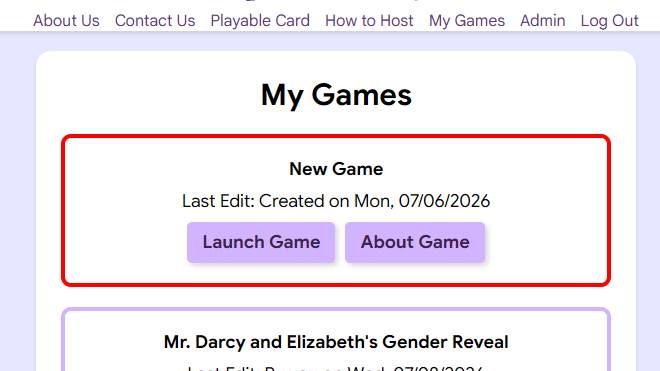
*Please Note*
Games will expire 30 days after they have been purchased.
After purchasing a game, you'll want to explore the "About Game" page.
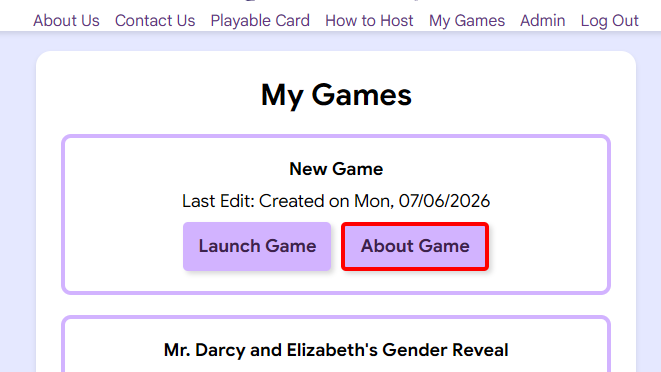
This button allows you to view and edit your game in the following ways:
- Set the gender and title of the game
- Create an edit link
(edit links allow doctors or friends to set the gender of your game without accessing your account) - Download a copy of the winning card
(if the game has been played)
About Cards
Our game player only works with our unique cards.
Before launching a game, you'll want to consider how your guests will access their bingo cards.
Guests can access a digital bingo card through their phone or use a paper copy.
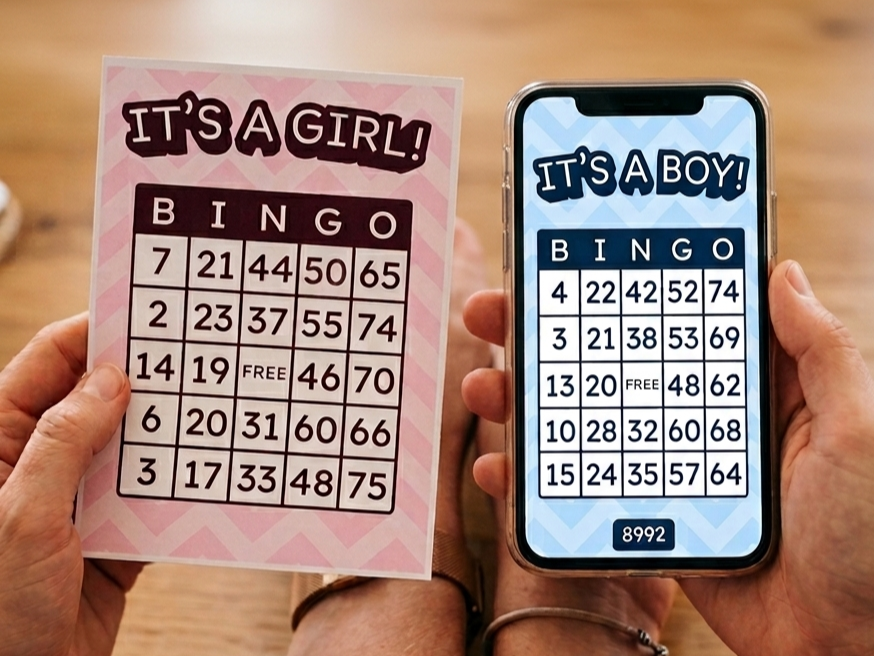
Our game player does not require all players to use paper cards or digital cards exclusively.
As the host, you can decide whether your group will use paper cards, digital cards, or a mix of both.
Specific info about each card type is listed below.
Paper Cards
If paper cards will be used, they will need to be printed and cut beforehand.
Download the print file for free!
Download PDFDigital Cards
If digital cards will be used, it's important to know how your guests will access them.
During a live game, on the card registration page, press the "Show QR Code" button.
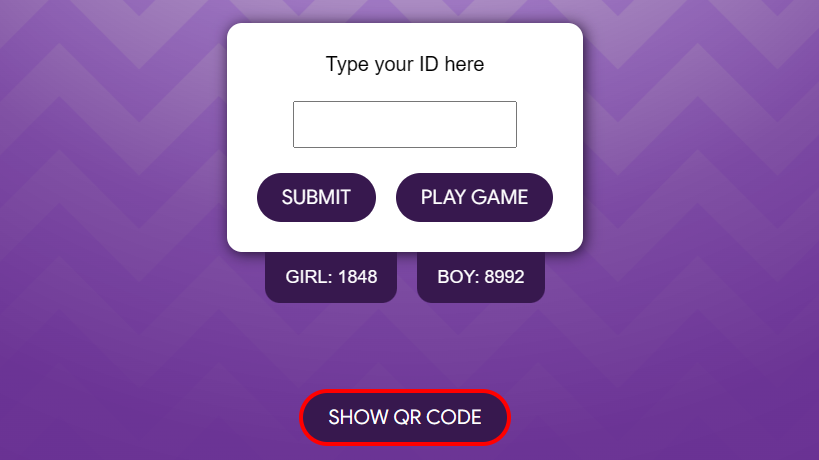
This will pull up a QR code that can be used to access a digital bingo card.
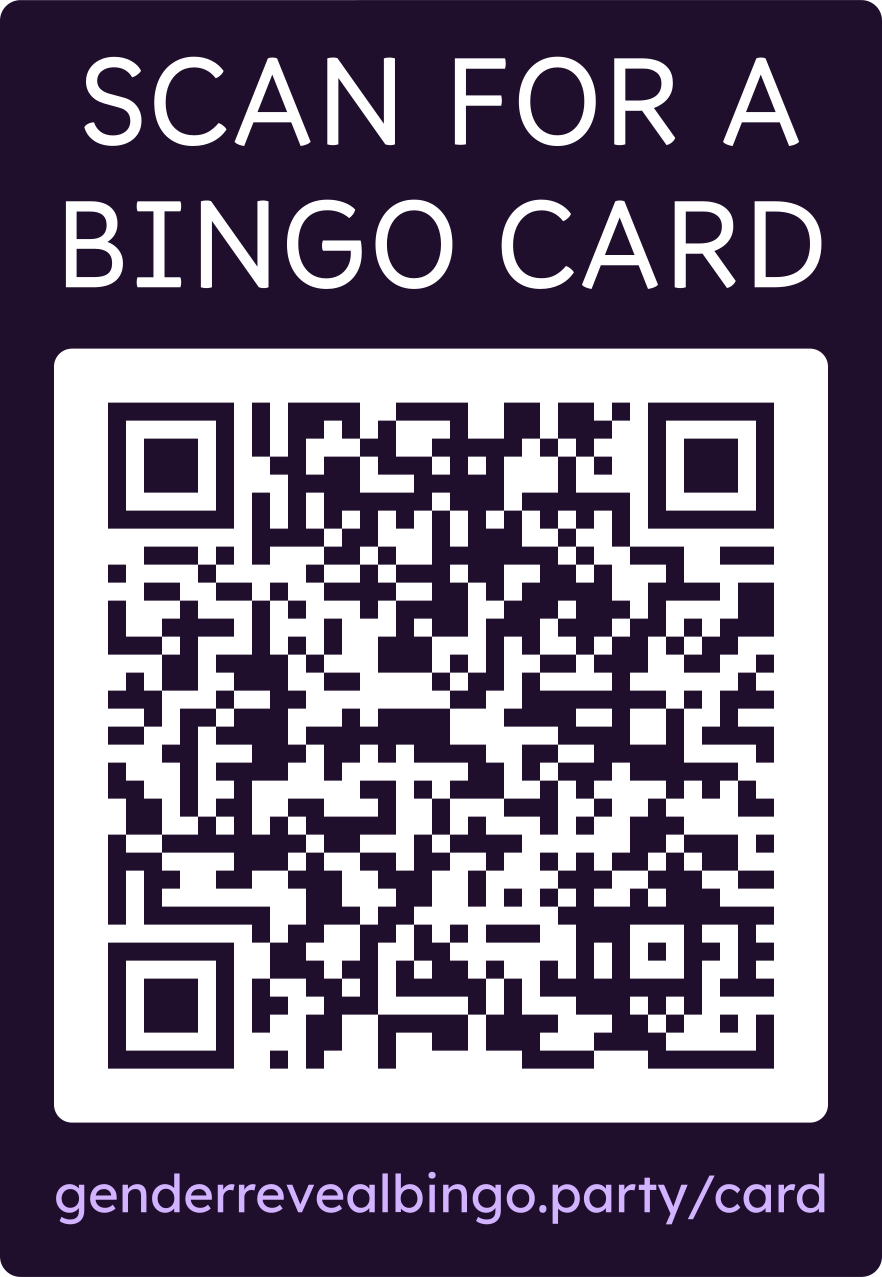
If anyone has trouble scanning the QR code, they can manually type the link at the bottom of the QR code.
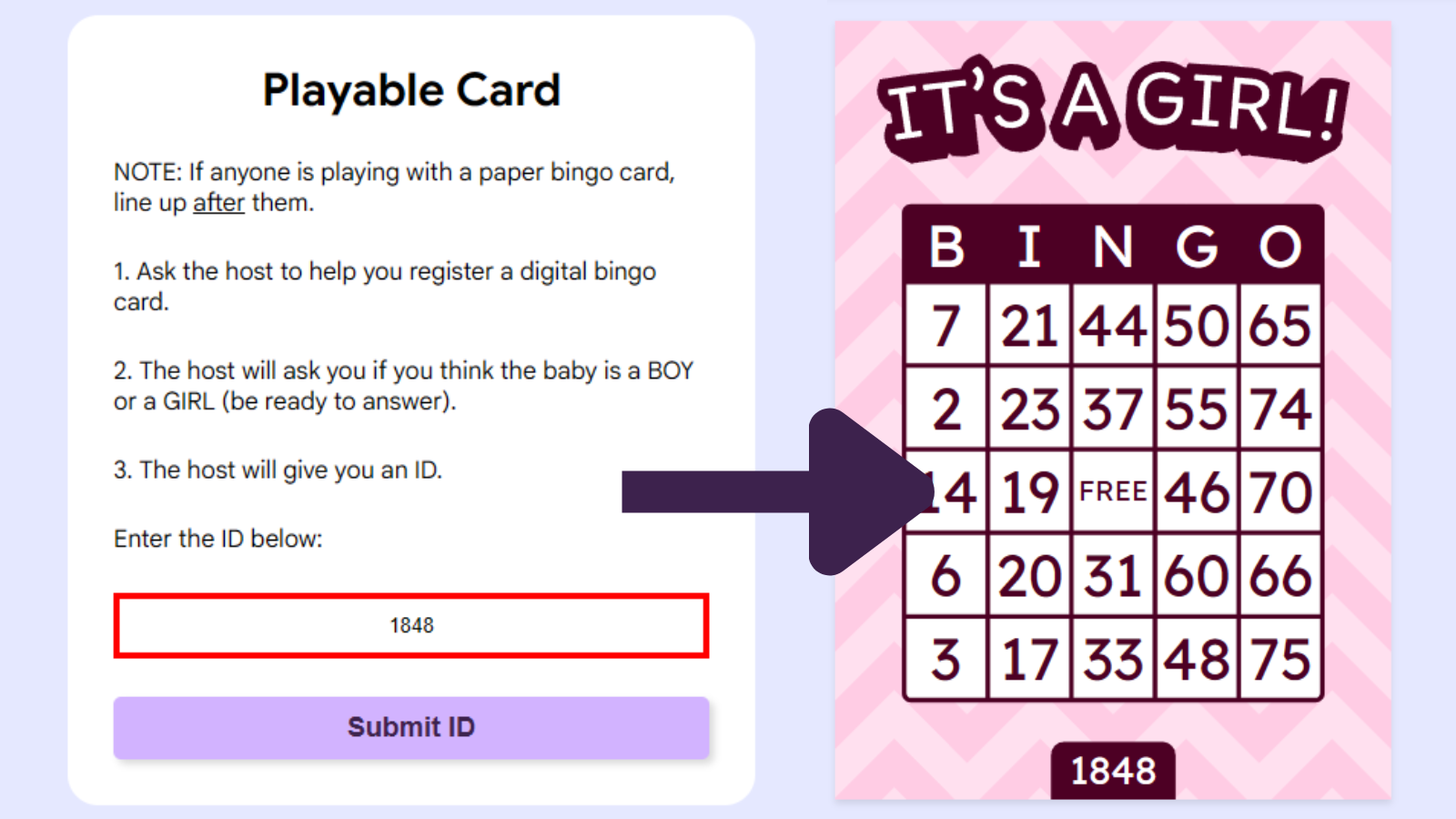
The link will take them to the following page:
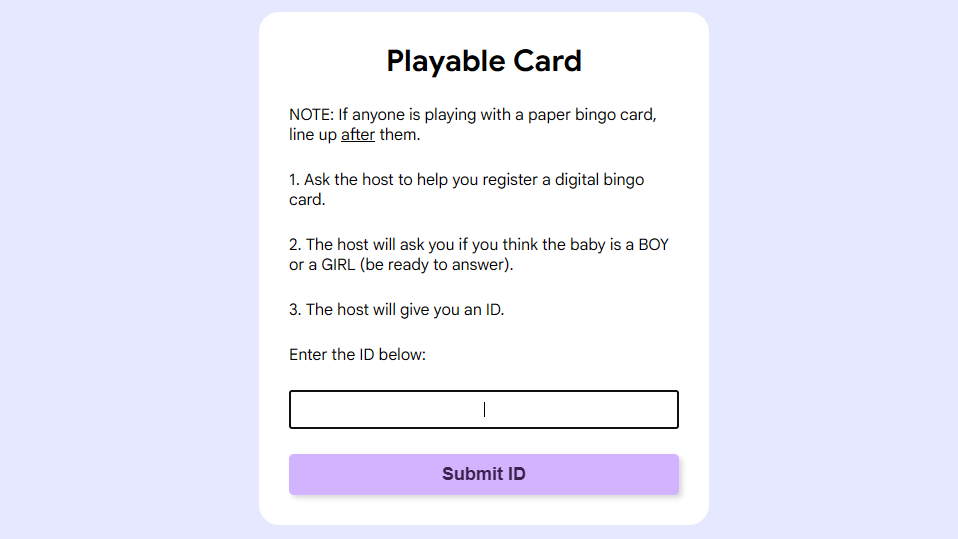
*Please Note*
Players won't be able to access a digital card until they are given an ID by the host.
When a player needs to register a digital bingo card, follow the process below:
How to Register Digital Bingo Cards
If applicable, have all players with paper cards lign-up before players with digital cards.
A player comes forward.
The host asks the player for their guess:
"Do you think the baby is a boy or a girl?"
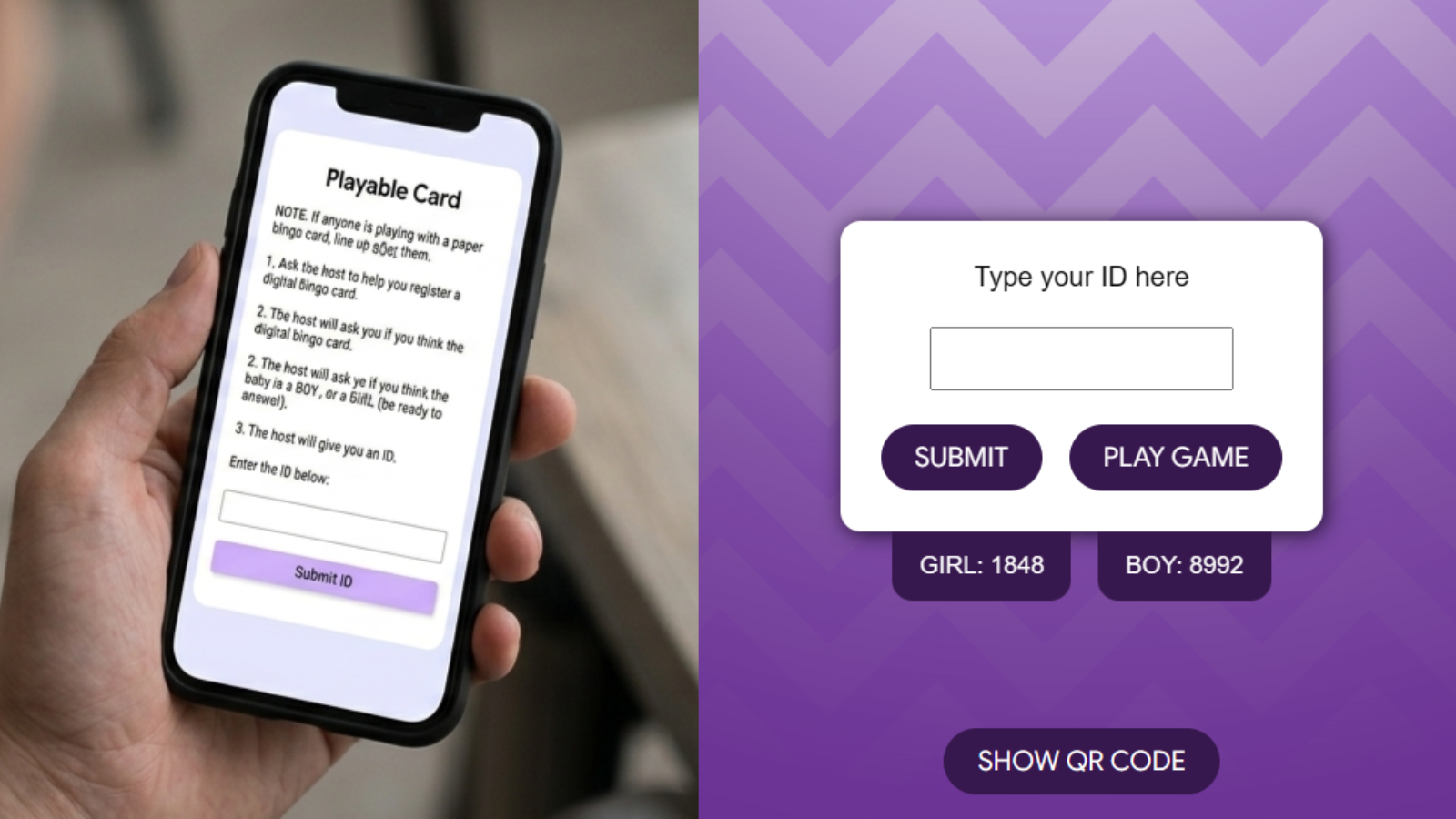
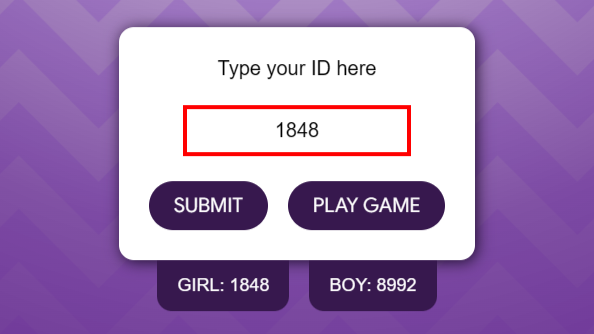
Available IDs can be found on the left and right sides of the card registration page.
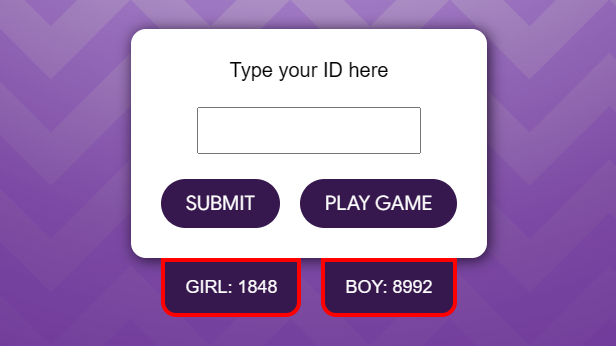
The host provides the player with an ID corresponding to the player's guess.
The player enters the ID on their device and accesses their bingo card.
*Important*
The host enters the same ID on the game player to complete the registration of the player's card.
Add to Home Screen
Some browsers (usually smart phones) disable the fullscreen feature. This can make our game player look clunky or crowded.
For the best experience, we recommend adding our site to your home screen (to allow the fullscreen feature).
For Safari:
Open the website in Safari.
Tap the Share button at the bottom (the square with the arrow pointing up: 📤).
Scroll down and tap "Add to Home Screen".
On Android (Chrome):
Open the website in Chrome.
Tap the three dots in the top right corner (⋮).
Tap Add to Home screen (or Install app).
If problems persist:
Ask Gemini or ChatGPT something like "How do I add a site to my home screen with my specific browser?"